

Download Zedge – wallpaper, ringtones, notification sounds, Android customization, Zedge pAInt, AI art generator, NFT wallpapers
Overview
Zedge is a desktop-style Android customization application designed to empower users with tools to personalize their mobile experience. The software enables users to modify core device elements such as wallpapers, notification sounds, ringtones, and alarm tones, transforming the look and feel of their Android devices. It serves individuals seeking a unique, expressive interface that reflects personal style or creative interests. The app is particularly relevant for users who value self-expression through digital aesthetics and enjoy staying updated with trending visual and auditory content.
Developed by Zedge Inc., the application functions as a centralized hub for downloadable customization assets. It supports a wide range of use cases, including setting up personalized home screens, enhancing notification recognition with distinctive sounds, or creating original digital artwork using built-in tools. While the software is primarily intended for Android devices, its functionality mirrors desktop-level customization workflows, offering a similar sense of control and personalization. The developer did not provide additional details about the company’s background or mission beyond the app’s purpose.
Key Features & Capabilities
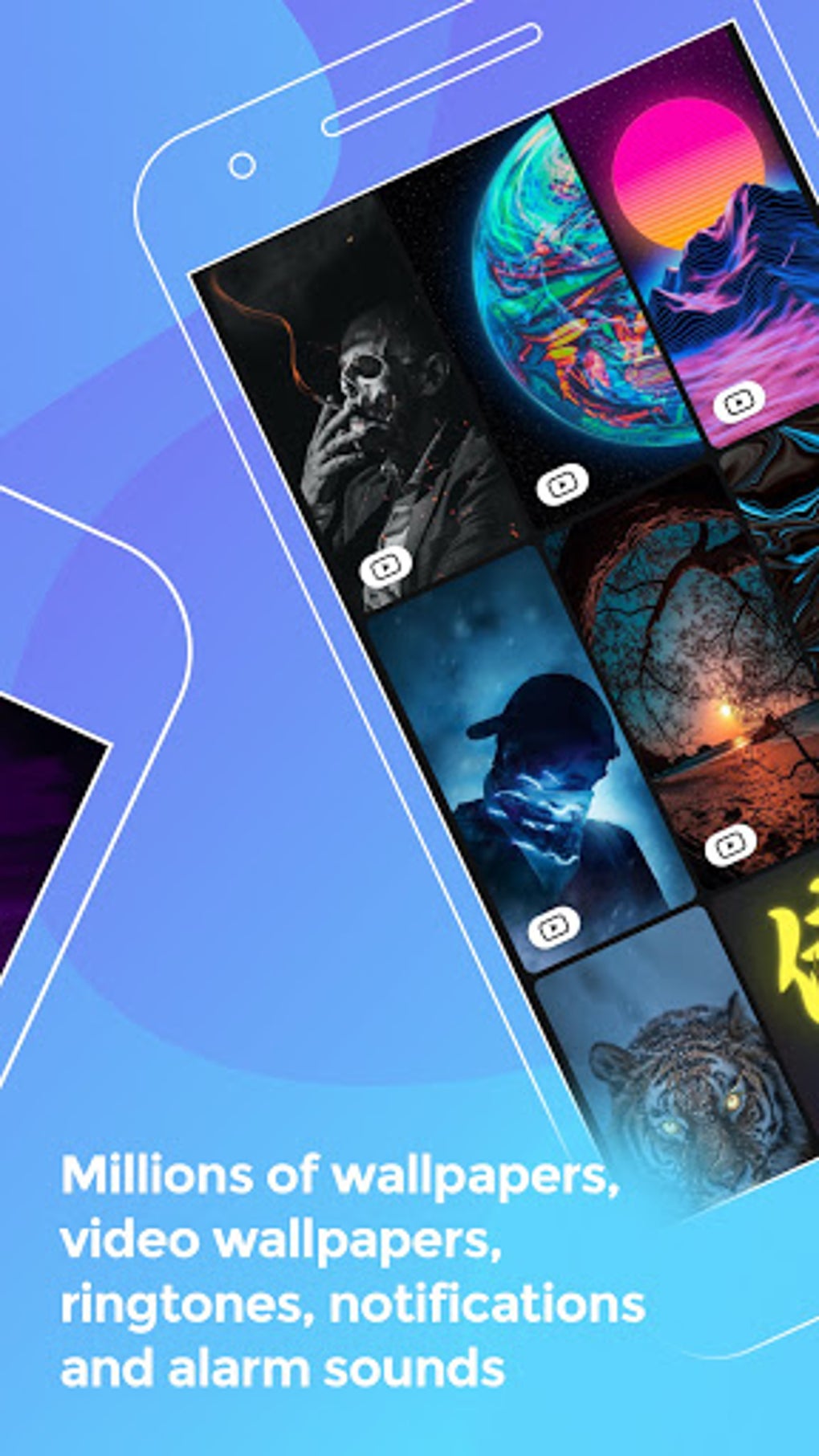
- Wallpaper Customization – Access millions of downloadable wallpapers, including HD and 4K resolutions, covering diverse themes such as sci-fi, nature, abstract, and artist-inspired designs like Banksy. Users can set these directly from the app or via Android system settings.
- Sound Customization – Download and set custom ringtones, notification sounds, and alarm tones. The collection includes popular music tracks, humorous tones, and device-specific sounds like Samsung ringtones.
- Zedge pAInt AI Art Generator – Create unique digital artwork by entering text prompts. The AI transforms words into visual content inspired by famous artists and styles, enabling users to generate personalized wallpapers.
- Content Curation – Browse content through curated collections such as “Featured,” “Popular,” and “Recently Added,” helping users discover trending or high-quality assets without extensive searching.
- Favorites & Bookmarking – Save preferred wallpapers and sounds for later access, streamlining the process of revisiting or reusing favorite customizations.
- NFT-Enabled Content – Some wallpapers are available as non-fungible tokens, offering users the opportunity to own and share unique digital assets.
- Live Photos Integration – Download and apply live photo wallpapers in compact packages, adding dynamic motion to the home screen.
These features allow users to tailor their devices beyond default settings, enhancing both functionality and personal expression. The AI art generator introduces a creative layer, enabling users to design custom visuals without advanced design skills.
User Interface, Workflow & Performance
The user interface of Zedge presents content in either a list format or a thumbnail grid, offering visual and structured browsing options. Navigation is based on tapping individual items to preview or play content, with options to set, rate, or save favorites directly from the preview screen. While the layout is functional, the interface is described as not the easiest to use, with some users reporting navigation challenges.
Workflow efficiency depends on the user’s familiarity with the app’s structure. Setting a wallpaper or ringtone typically involves selecting the item, previewing it, and confirming the system-level application. The process can be completed within the app or accessed through Android’s built-in settings menu. Performance observations are based on general software behavior patterns, as exact performance details were not specified. The developer did not provide information on CPU or RAM usage, nor did they disclose stability metrics under various conditions.
Compatibility & System Requirements
Zedge is designed for Android devices and is compatible with the latest versions of the operating system. The current version is 10.2.2, and the application occupies 48.5 MB of storage space after installation. The developer did not specify exact system requirements, including minimum processor speed, RAM, or storage capacity needed for optimal operation.
Compatibility information was partially provided, with no mention of specific Android versions beyond general support. Users should ensure their device meets standard Android app installation requirements. The app is available exclusively through the Google Play Store, and no alternative distribution channels were noted.
Pros and Cons
Pros
- Extensive library of wallpapers, ringtones, and sounds
- AI-powered Zedge pAInt for generating custom digital art
- Support for NFT-based wallpapers and unique digital ownership
- Curated content collections for easier discovery
- Bookmarking and favorites system for saving preferences
- Free access with optional ad-free upgrade
Cons
- Frequent full-screen advertisements that may disrupt user experience
- Interface is not optimized for ease of navigation
- Limited to Android platform; no desktop version available
- No support for custom icon packs or launcher themes
- Exact system requirements not disclosed
FAQ Section
Is Zedge available for free?
Yes, Zedge is available for free on the Google Play Store. The free version includes access to a large library of wallpapers, ringtones, and sounds, though it contains advertisements.
Can I use Zedge on my desktop computer?
Zedge is designed exclusively for Android devices. There is no desktop version or PC software available at this time.
Does Zedge support offline usage?
Yes, once content is downloaded, it can be used offline. However, some features like browsing and downloading require an internet connection.
What types of content can I create with Zedge pAInt?
Zedge pAInt allows users to generate AI-powered digital artwork from text prompts. The output can be used as wallpapers, shared with others, or saved as NFTs.
Is the app secure to download and use?
Zedge is distributed through the official Google Play Store, which provides security checks. Users should ensure they download the app only from trusted sources to avoid potential risks.
Final Thoughts
Zedge stands out as a comprehensive Android customization tool, offering a vast ecosystem of visual and auditory personalization options. Its integration of AI-driven content creation through Zedge pAInt adds a modern, creative edge, making it ideal for users who enjoy digital art and self-expression. While the frequent full-screen ads may impact usability, the app remains a powerful one-stop solution for customizing device aesthetics. It is best suited for Android users seeking to personalize their phones with unique wallpapers, ringtones, and AI-generated art. For those who value creativity and individuality in their digital experience, Zedge delivers significant value despite its interface limitations.
Download Zedge now






.png)
